A Participation Bank2025🚧 Under Construction
From a feature-copied test app to a launch-ready banking app
Turning a feature-copied test app into a launch-ready mobile bank with clearer security flows and simpler transfers.
 Kahvecioğlu
A product designer in Istanbul.
I used to design spaces. Now I design them with components.
Hover the room.Tap the room. The lamp really works.
Rule-based alarms cut alarm volume by 85%, and alarms that are easy to spot and answer raised LAKE’s response rate from 11.2% to 54.6%.
Branding, a working responsive website and a motion language drawn from the logo, for a fictional architecture studio.
A guided setup and a visual Machine Editor that let customers build their own machines: about 7 minutes for a common machine, down from 24.
A UX research course project on why a yoga app's personalization did not feel personal, and what could change.
A course project following home cooks from choosing a recipe to coming back to it after the meal.
Smaller explorations, studies and screens from projects.
I'm a product designer and currently the only UX designer at a participation bank getting ready to launch, where I'm shaping its mobile app. I started out in Interior Architecture at ITU and moved into UX through the Userspots UX school.
Who is it for, why would they stay, what is it worth to the business? I start with those questions, so my decisions hold up well beyond the design review.
I do my best work between teams. Analysts, developers, business units and leadership each hold a piece of the picture; I put it on one map everyone can read. And launch, for me, is where a product starts growing.

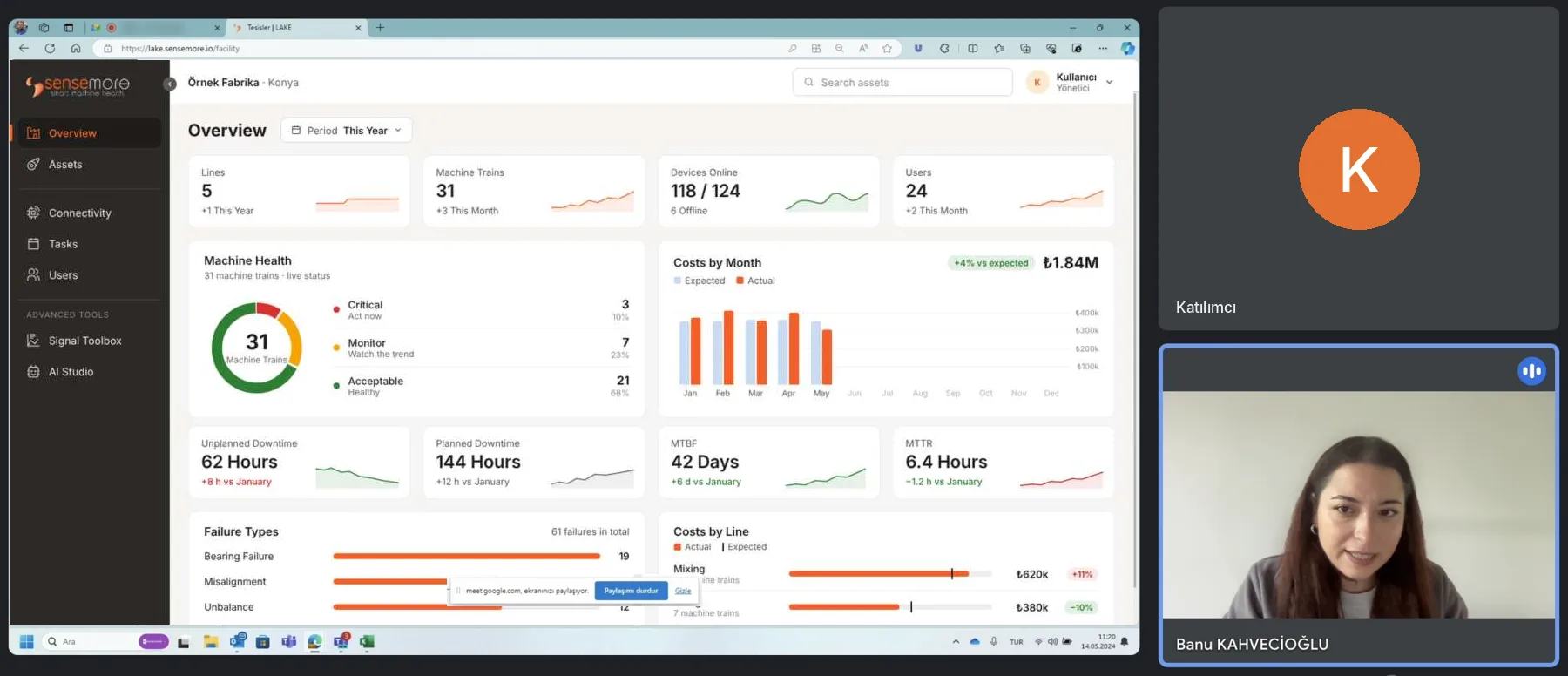
LAKE is Sensemore's platform for monitoring the health of factory machines with IoT sensors. As the only UX/UI designer, I designed its onboarding from scratch, so customers could set up their own machines instead of waiting for our team.

On the old platform, every sensor point was created one by one in an asset tree, through a long form, with a sensor assigned and configured by hand. Most customers never got that far, so our Customer Success team did it for them.
Although 45.7% of the equipment information that needed to be entered into the system was complete, only 15.9% of the total was entered by users.
The machine’s details were asked again at every sensor point, while the equipment itself was described mostly through its bearings. Users filled in more and still told us less.
Users think the Customer Success team has to do everything. It is not my job to request monitored assets' information from users and define them in their accounts.
Customer Success team member
Most users have difficulty finding the information they are looking for when they first start using the platform. We need to show the same feature over and over again.
Customer Success team member
A demo is our first stage with a customer. When getting them onto the platform takes this long, they grow slowly with us. Making this stage as efficient as possible, and showing the product's benefits, has a critical impact on the customer's future scalability.
CEO
As the number of equipment properties increases, sensor data can be analyzed more effectively, both in the backend and by engineers. This lets us deliver machine insights to users.
CTO
No guidance and an unclear structure made setup slow for users and heavy for our team.
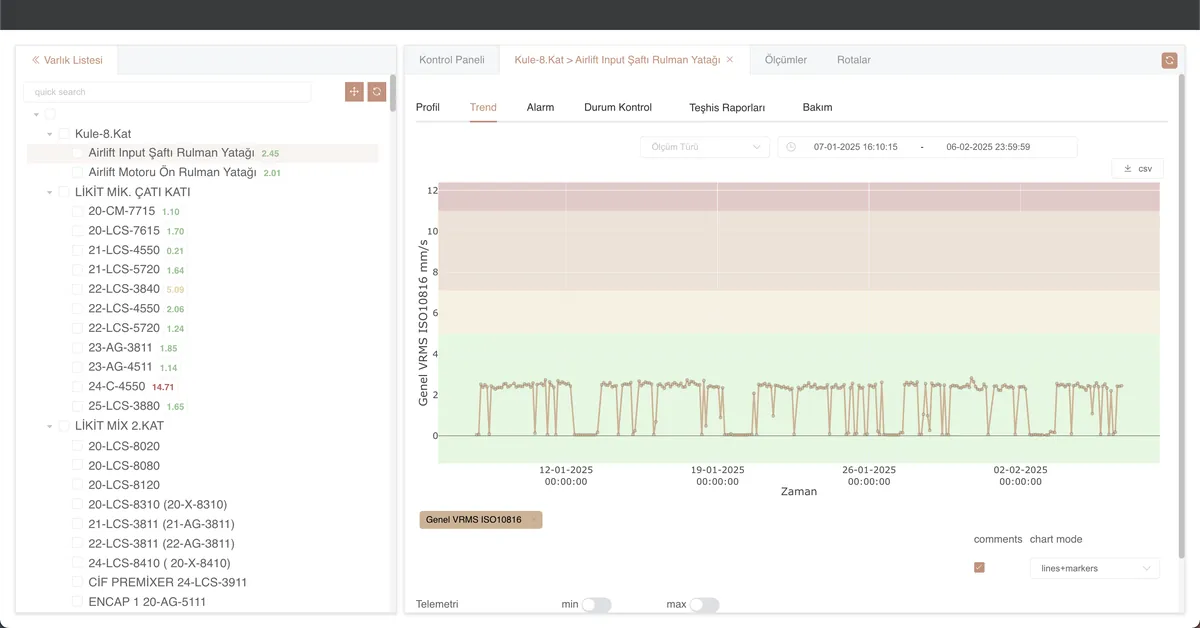
There is no clear information architecture. After logging in, users struggle to find where to access sensor points and to understand the product's capabilities.
Sensor points are represented in a tree structure, but there is no clear call-to-action on how to create a new sensor point at first glance.
The criteria for grouping sensor points are unclear, and naming conventions vary from facility to facility.
The sensor point's form requests too much information and lacks a clear hierarchy. This makes it difficult to read and complete.
One generic bearing image illustrated every machine’s sensor placement, widening the gap between the field and the platform.
Repeating or identical machines were set up from scratch each time, slowing installation.
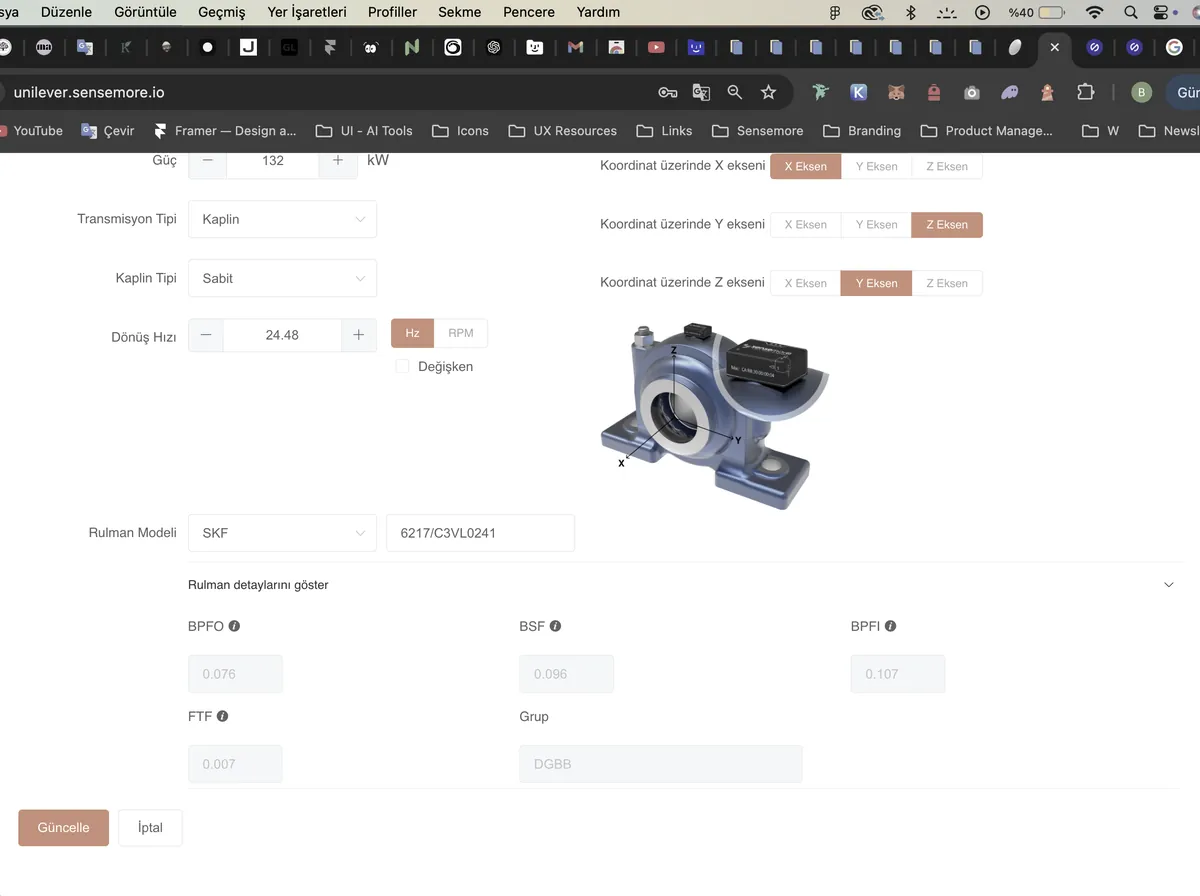
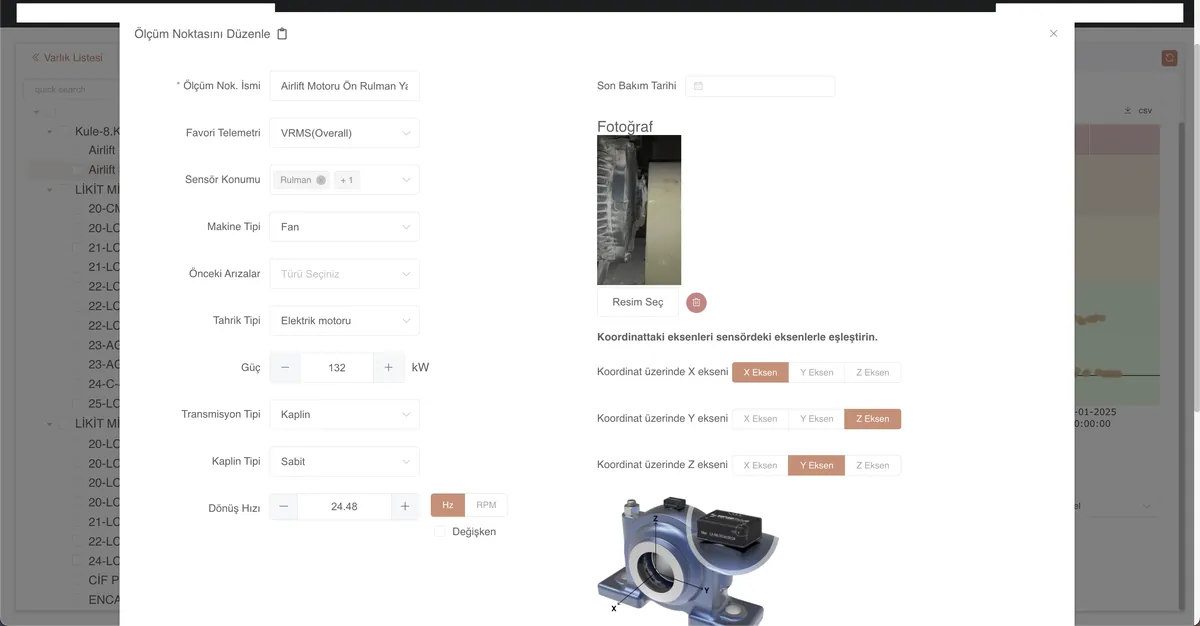
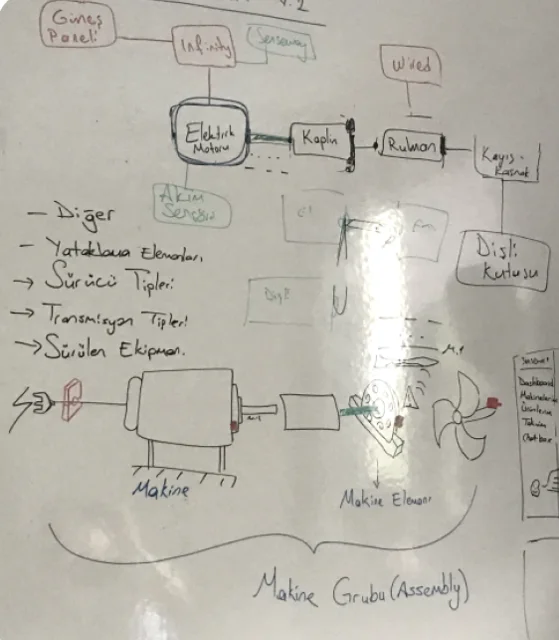
Field visits and conversations with Reliability Engineers showed a gap. Facilities monitor many kinds of equipment, yet the old platform showed every sensor on a single generic bearing image, far from what people saw on site.
I reviewed Sensoteq, I-care, Augury, Tractian and Acoem, then placed our old platform against them: where it was strong, where it fell behind and where the opening was.
Customers could not set up their own machines, and a sensor-based structure kept them from seeing each machine as a whole.
Grouping users by their goals gave us three personas to focus on. With little time and limited access to users, I also ran usability tests on the old platform during these interviews.
The setup gaps put the most work on them. Most sit in our Customer Success team, and their counterparts at customers run into the same problems.
Journey on the old platform, from invitation to machine health
A full digital twin was out of reach in our time and budget, so we defined a simpler hierarchy: a machine groups its equipment, and each sensor reads data for the equipment around it.
One machine, one place: a machine groups its equipment, and every sensor reads data for the equipment around it, so users can see everything about a machine in one view.
Enhance platform engagement while reducing our internal team's workload?
Installation was where users stalled and where our team spent the most time, so the first release focused on this flow.
Six short steps take new users from the invitation email to a working workspace. A live preview builds their facility, line and first machine as they type.
Users build a machine the way it sits on the floor: pick equipment, place it on the canvas and connect it by dragging. A three-step bar shows where they are, and details can be filled in later.
Each sensor point is set up on the real equipment. Defaults are applied as soon as a device is picked, and mounting is chosen from visual previews that match what users see on site.
Users duplicate a machine and choose what comes along. Devices cannot be copied, so the copy opens straight on sensor settings and shows how many points still need one.
To save time and cost we chose Naive UI and Plotly. The library had no Figma file, so I rebuilt its components in Figma, adapted them to our identity in its editor and shared the theme as JSON with developers.
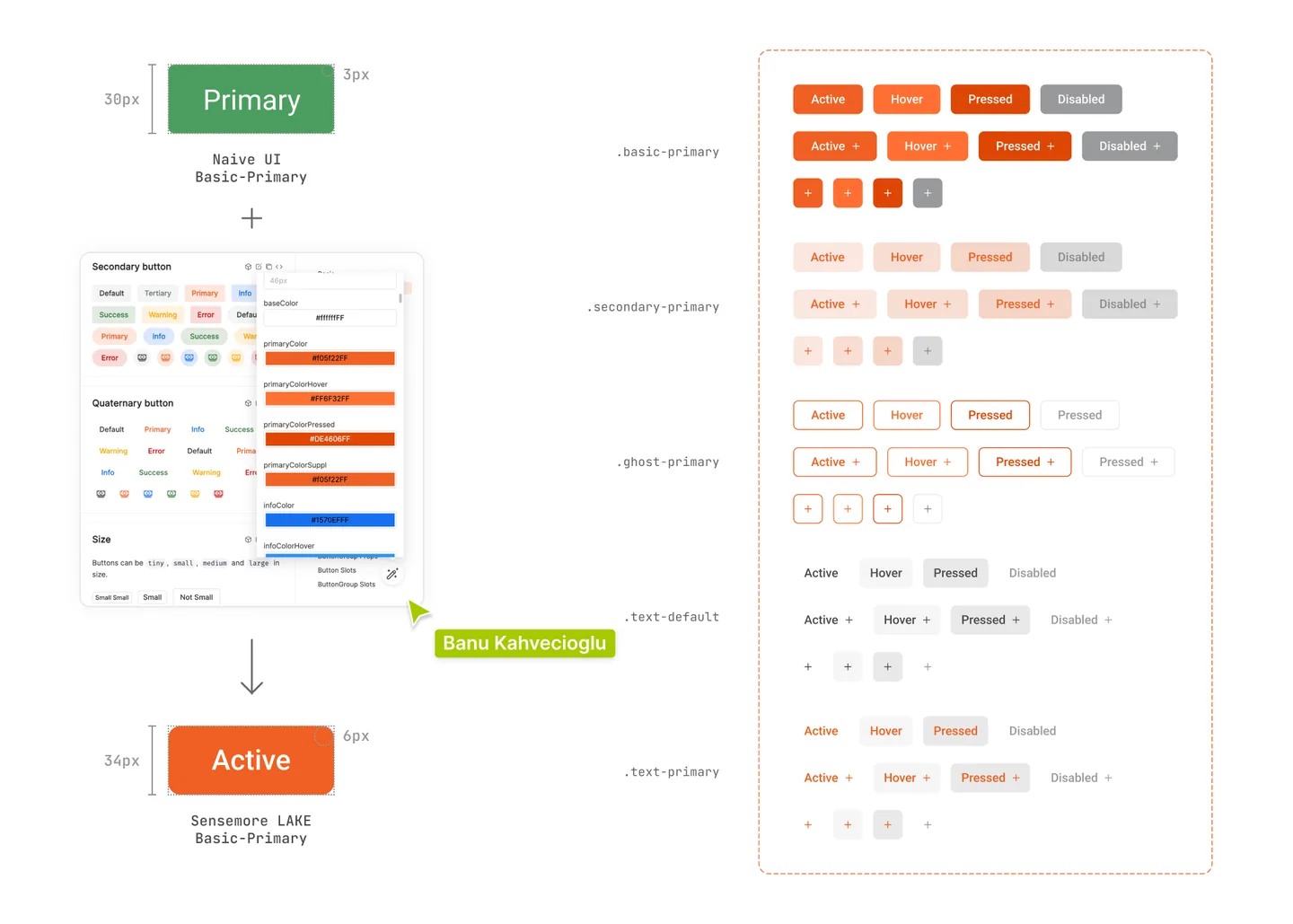
The Figma file set the foundations, equipment illustrations for the editor and responsive layouts, especially for mobile use on site.
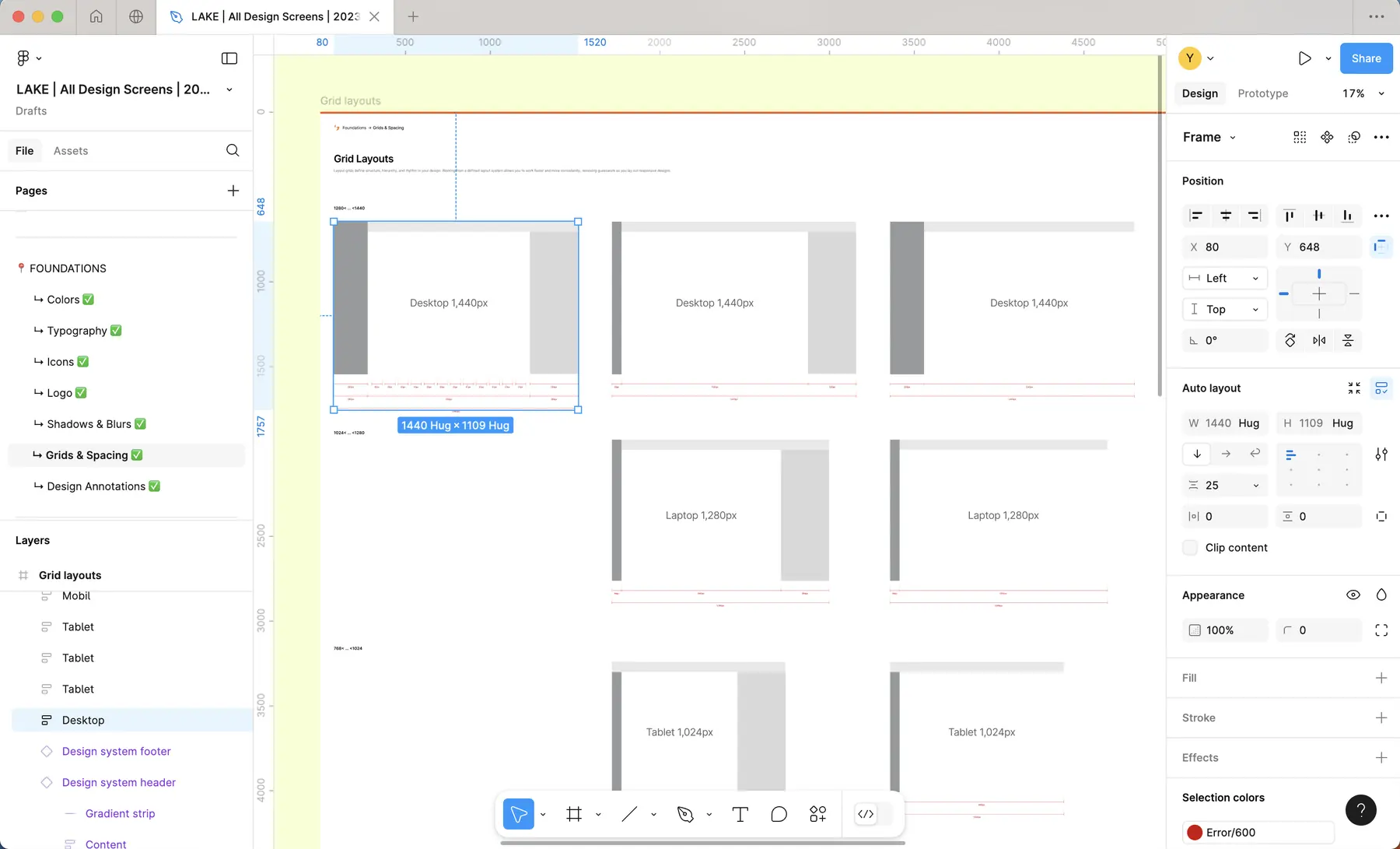
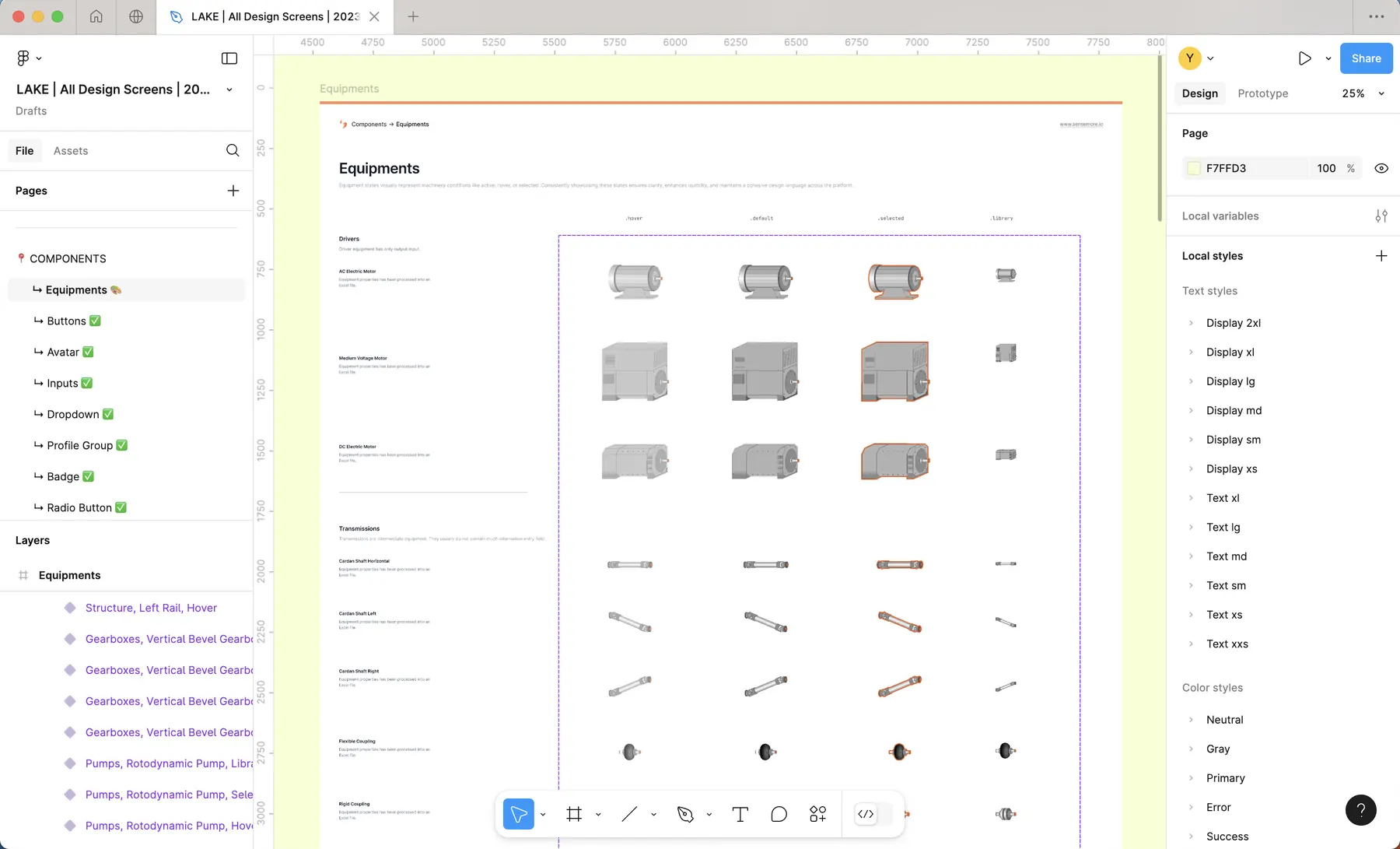
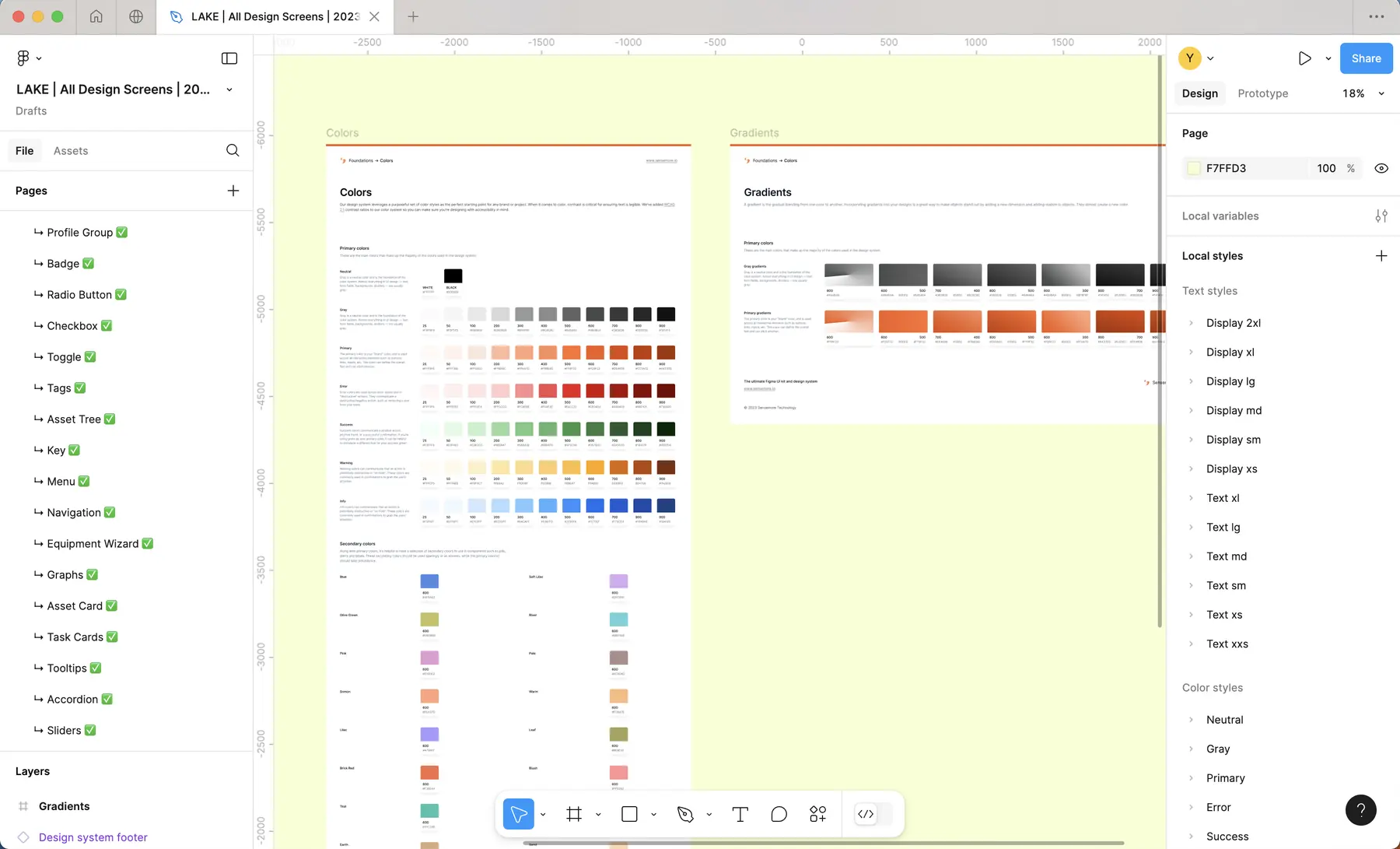
With the foundations ready, I shared spacing and sizing details for every molecule and agreed on the flows with the team through prototypes.
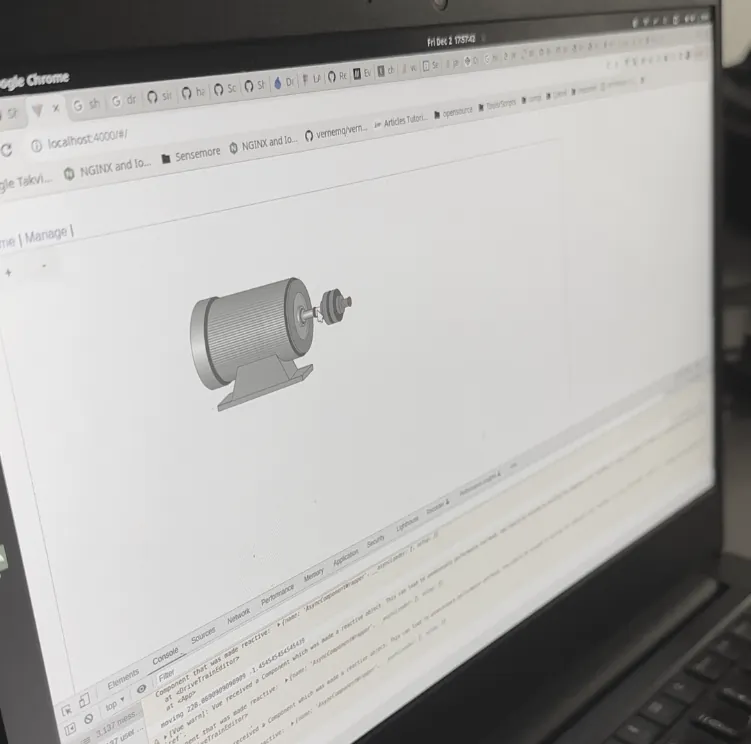
Setup got faster while LAKE asks more about each machine: a motor–fan needs 40 fields instead of 50, since machine details are no longer repeated for every point.
On machines set up from scratch, 56.2% of the equipment data was filled in, up from 45.7%, even though LAKE now asks for more. The share entered by users rose from 15.9% to 27.6%, while our team’s share stayed about the same. Users took on more of the setup themselves, and with faster setup, new customers reached analysis sooner.
“It is a great approach and UI. I will challenge my product design team.”
Head of Product from a global predictive maintenance company“This is the product I've been looking for, for a long time.”
Maintenance Engineer from a customer companyEven a technical product in an unfamiliar industry can feel simple with enough research, user feedback and collaboration.
Shipping from scratch in a startup takes good planning and close work with every team, especially development.
LAKE monitors factory machines with IoT sensors. It raised far too many alarms, and users couldn’t see or read the ones that came in, so most went unanswered. I made the case with data and proposed the changes we then built together: when alarms start and end, how users see them and where they answer them.
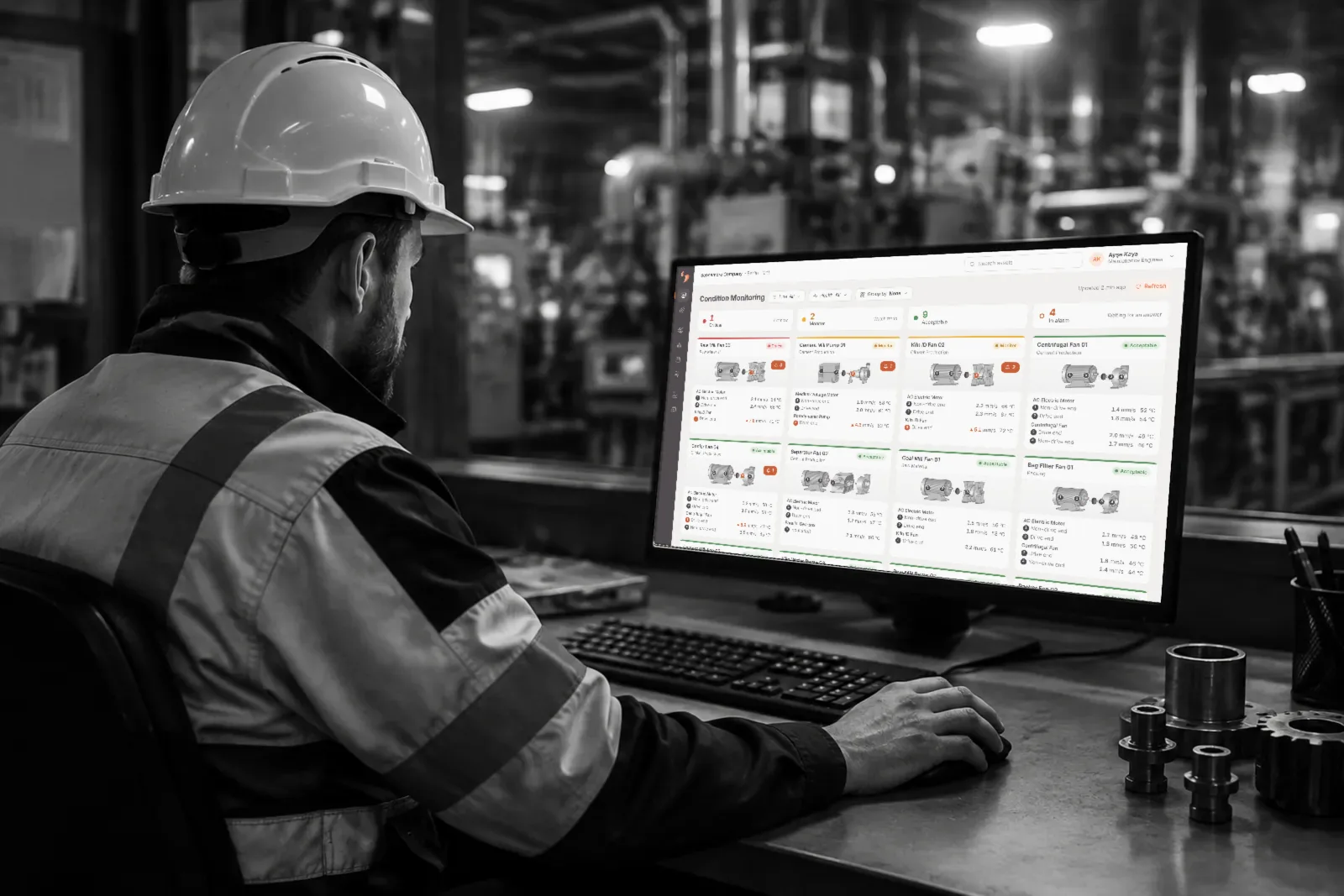
The research started from two complaints: LAKE raised far too many alarms, and users couldn’t see or read the ones that came in.
In LAKE, every machine has numbered sensor points that report readings such as vibration and temperature. When readings cross a threshold, an alarm starts. Each machine also has a health status, Acceptable, Monitor or Critical, that tells the team how urgently it needs care.
An alarm alone doesn't prove a machine is in trouble. Only someone on site can confirm it, or say it came from maintenance or an operational change. That answer is how a team decides which machine needs a closer look and whether to plan maintenance or an inspection. Alarms are answered by maintenance teams on site and by Sensemore’s Reliability Engineers, who work as consultants to customers and can answer alarms or adjust thresholds for them. In LAKE, few alarms ever got that far.
Before the update: how an answer moved a machine’s health.
187 of 1,674 alarms in two weeks, across 345 sensor points. The other nine in ten left no record of whether the machine needed attention.
Outside the trend chart, nothing showed which sensor point raised an alarm, so users couldn’t tell where it came from. Few answered, and health, changed only by a separate form or a health report, fell behind the field.
Without answers, no one could see which alarms were real, or which machine to inspect first.
Reliability Engineers filled the gap: they kept health up to date through their reports and moved thresholds to quiet the noise.
A reading can cross its threshold for a moment and drop back. That says nothing about the machine's health, but LAKE turned each one into an alarm card, and users stopped keeping up. On the timeline above the trend chart, the alarm icons piled up until they were unreadable, and clicking one to find its alarm became guesswork.
21
alarm cards from a single rise in vibration, in this example. Across 345 sensor points, that added up to 1,674 alarms in two weeks.
“An alarm comes in, but we can't tell where it came from. We have to check every point one by one.”
User feedback
“Sometimes lots of alarms come in, but we can't tell them apart in the chat. We can't answer them, and that makes the machine's health look wrong.”
User feedback
The machine page was the only place in LAKE where alarms could be seen, and the only way in was through the menu. Our analytics showed users taking that path again and again.
Users landed on Overview after every login and left straight away.
I ran remote sessions with 3 users, built on what the analytics and the alarm data had shown, and watched them move through the current screens. Two already used other vendors' monitoring screens that split the factory into areas and show what is happening live.
From logging in to answering an alarm, the path the interviewed users took before the update, and where it broke at each step.
Every brief spike became an alarm, too many to read, and they lived only on the machine page, where users rarely saw them. Answering one changed nothing, so users stopped answering and no one knew which machines really needed attention.
Five places where the old path broke, and what users needed at each. Each step added its own friction, until most alarms were never answered.
The first screen after logging in.
What users neededThe first screen should show which machines need attention, and take users there.
Assets was the only way to the alarm.
What users neededThe alarm should sit next to the machine’s health, not behind it.
The machine page was the only place alarms lived.
What users neededFewer, clearer alarms, with open and answered ones easy to tell apart.
Users built the context themselves.
What users neededWhere an alarm came from and whether it is over, with the point, the trend and the card speaking one visual language.
The answer and the machine’s health lived apart.
What users neededAn answer should update the machine’s health.
Going through the alarm data, I noticed our Reliability Engineers kept moving thresholds. A threshold might have been set wrong, or a production change on site pushed readings over it for a moment, and every such moment opened alarms. Alarm management in similar tools already worked with rules: an alarm starts only when a reading repeats. I brought both to the team with user feedback and asked whether we could do the same. They agreed, and together we worked out how to apply it in our system.
The repetition rule told us when an alarm is real. What users asked of their first screen told us where they should meet it. Together they gave us one question to design for.
Make every alarm meaningful, show clearly when it starts and when it is over, and make it easy to answer, so that machine health keeps up with the field?
Each one answers the needs above. Every screen that follows keeps to them.
On the first screen, on the machine card and at the sensor point that raised it, not three clicks away.
Answers steps 1, 2 and 4An alarm starts only when a reading repeats, and it ends by rule too, so fewer alarms reach people and each one means something.
Answers steps 3 and 4Confirming an alarm updates the machine’s health in the same step, and every check leaves a record the team can plan from.
Answers step 5Before drawing any screen, we mapped the life of an alarm from a single reading to an answer. Every design that follows serves one step of this loop.
In the interviews, two users already kept other vendors’ live screens open to watch their plants. So the question wasn’t whether users wanted a new first screen, but whether LAKE could take that habit over. Three users worked through this draft.
“In the other tools we use, we have screens for different areas of the factory. They’re really useful for live viewing and quick checks.”
Interviewed user
Users skipped the old Overview and went machine by machine. Condition Monitoring shows every machine’s health and the alarms waiting for an answer right after login.
Where alarms are read and answered. The alarm’s sensor point wears its colour, the timeline shows one alarm from start to end, and confirming an alarm sets the machine’s health in the same card.
In Signal Toolbox, LAKE’s advanced analysis tool, thresholds now sit on the trend they belong to, with a rule for when an alarm starts and ends. Thresholds used to be guessed, so Suggest from this data and a preview were added after user feedback.
The alarm email now names the machine, sensor point and threshold. A new back-to-normal email says when it is over and where health stands; unanswered alarms still ask for an answer.
Velocity RMS Overall stayed above 6.50 mm/s for 5 consecutive readings within 12 hours.
Sensemore Company › Berlin Plant › Clinker Production › Cooler Fan 04
Centrifugal Fan › Driving End
Readings around this alarm are on the machine page in Sensemore LAKE.
Velocity RMS Overall stayed below 6.50 mm/s for 5 consecutive readings within 12 hours.
Sensemore Company › Berlin Plant › Clinker Production › Cooler Fan 04
Centrifugal Fan › Driving End
Ayşe Kaya confirmed this alarm and changed the health to Monitor. Readings are back to normal, and the health stays at Monitor until someone updates it.
View the machine pageReadings around this alarm are on the machine page in Sensemore LAKE.
We compared the same 345 sensor points over two weeks before and after the update. Alarms fell from 1,674 to 251, and 137 of the 251 got an answer, 54.6% against 11.2% before, so far more machines now show a health status that matches the site.
Two months after release, average session time had grown from 3 min 48 s to 48 min 34 s, counting only sessions with an interaction. We first assumed people were leaving the screen open, until a site visit showed a customer’s control room watching Condition Monitoring on a big screen for part of the day. For these teams, checking alarms became part of the day.
Question your own work. Some of the alarm screens I redesigned were ones I had drawn as a junior designer. Once I had the data to show where they fell short, I made the case to change them rather than defend them.
Health set by the alarm itself. My first proposal, now in the backlog: LAKE picks Monitor or Critical from how fast readings rise.
Live alerts on Condition Monitoring. Auto-refresh with a sound and a highlight; in the backlog for cost, with the Refresh button as a stopgap.
A second round with users. I left Sensemore after this release, so it only went through guerrilla tests. Next would be testing the answer flow with the people who answer alarms every day.
DOM is an architecture studio I imagined in Istanbul, founded by three architects who studied at ITU's Taşkışla building. I created its brand from the name up and designed a responsive website whose details grow out of the logo.
With no client, the first job was to create one. I wrote the studio's story and a design brief with ChatGPT, then moved from brand to research to screens.
The studio's founding story and a brief with clear project requirements.
Name, logo, colours, typography and a design language for the site.
Benchmarking other studios' sites to define the sitemap and content, then screens, components and micro-interactions.
DOM combines three roots: the faculty where the founders studied, the idea of home, and the act of building.
Dominus (Latin) Master
Domus (Latin) House, building
Dem (Proto-Indo-European) To build
The logo abstracts Taşkışla's arched corridors, which seem to lead to infinity, and the steel cellular beams of classroom 3400, where the founders' first day took place.
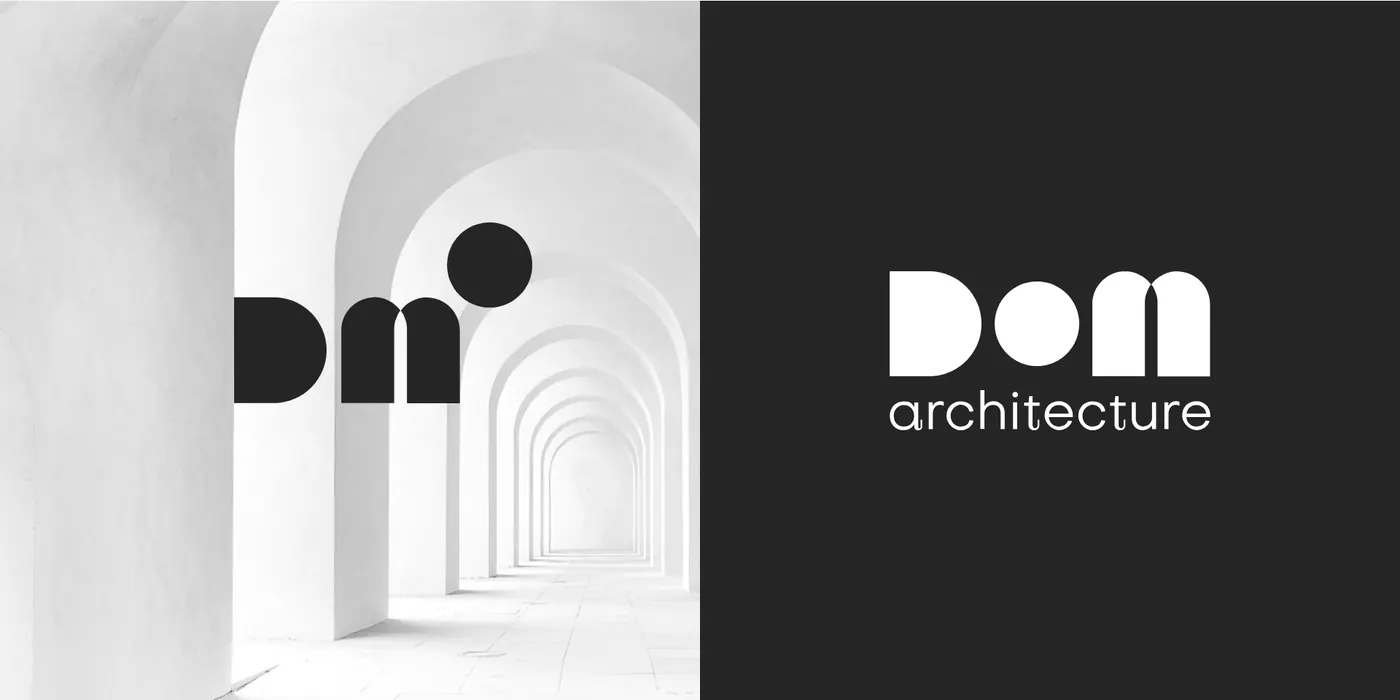
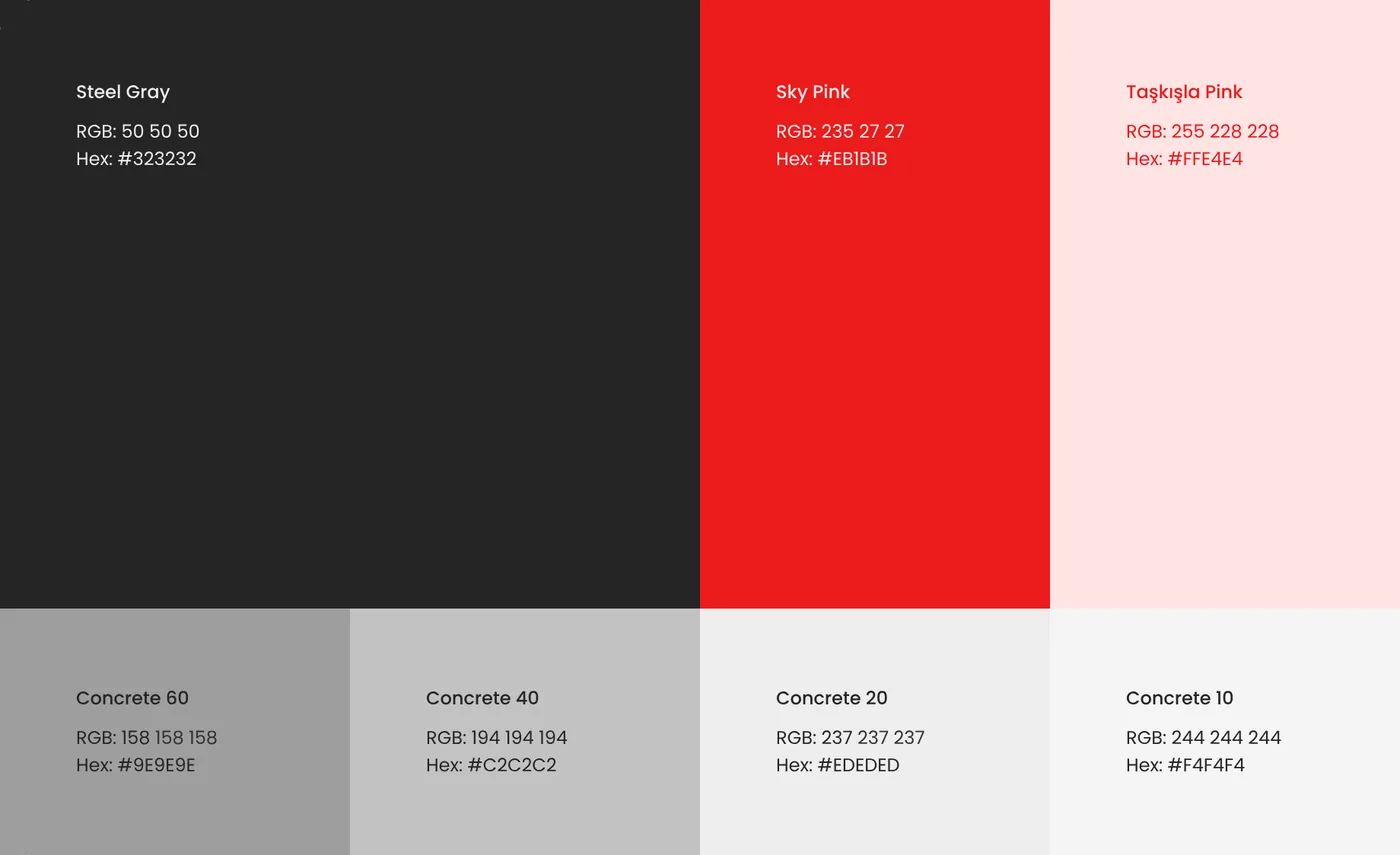
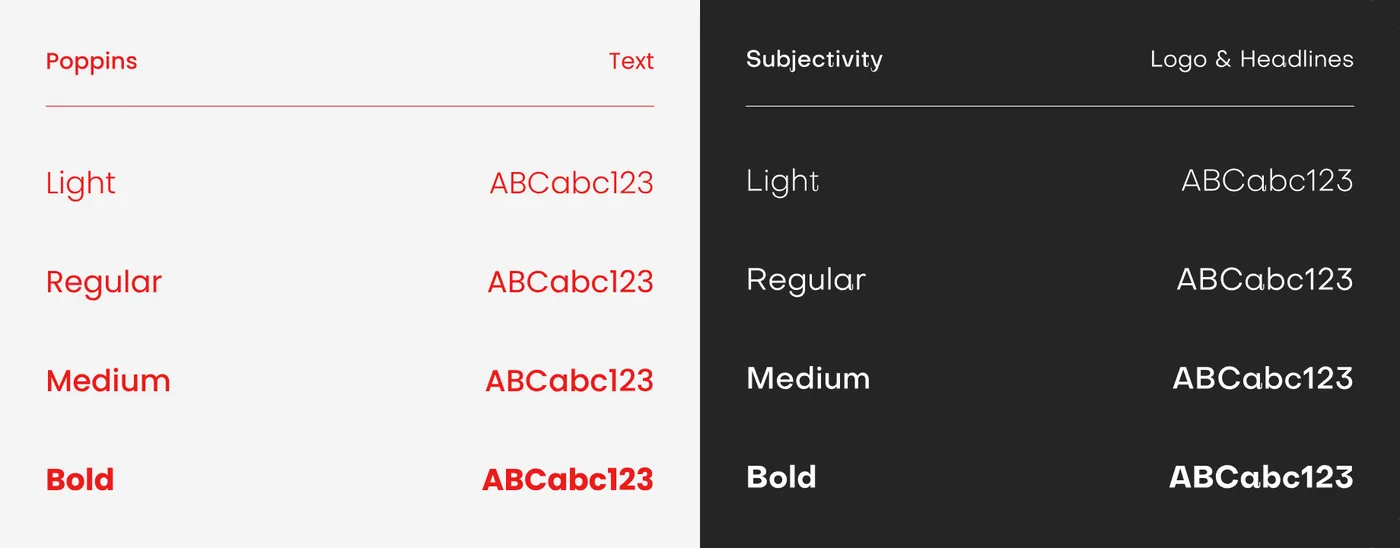
The soft pink comes from Taşkışla's courtyard walls, balanced by cool concrete greys and a bold red inspired by modern architecture. A serif for the logo and headlines meets Poppins for text.


After benchmarking other studios, I kept the structure simple: projects first, then what the studio does and who it is. Every page is built on a 12-column grid with a 1200px content width and ends with the same invitation: “Let's design something beautiful.”
Scroll inside each window to see the full page.

Numbers, selected projects, awards and services on one scroll; the call to collaborate opens like two doors.

A full-bleed hero, key facts in a side column and large photos with short captions.
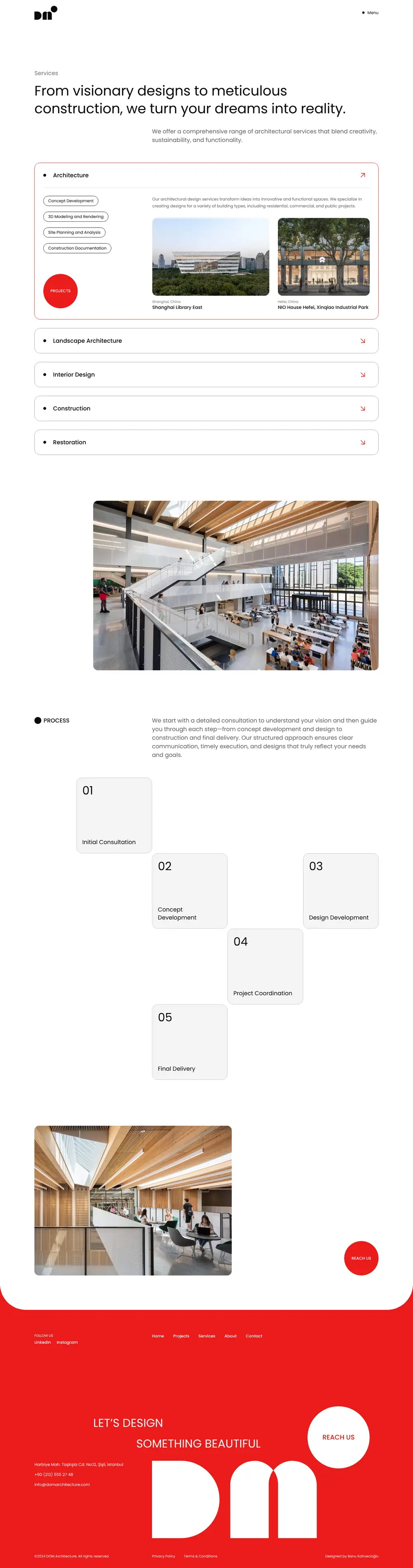
Services open as an accordion with sample projects, and the five process steps climb like a staircase.

Numbers, awards, a team grid and a statement that mixes words and images.
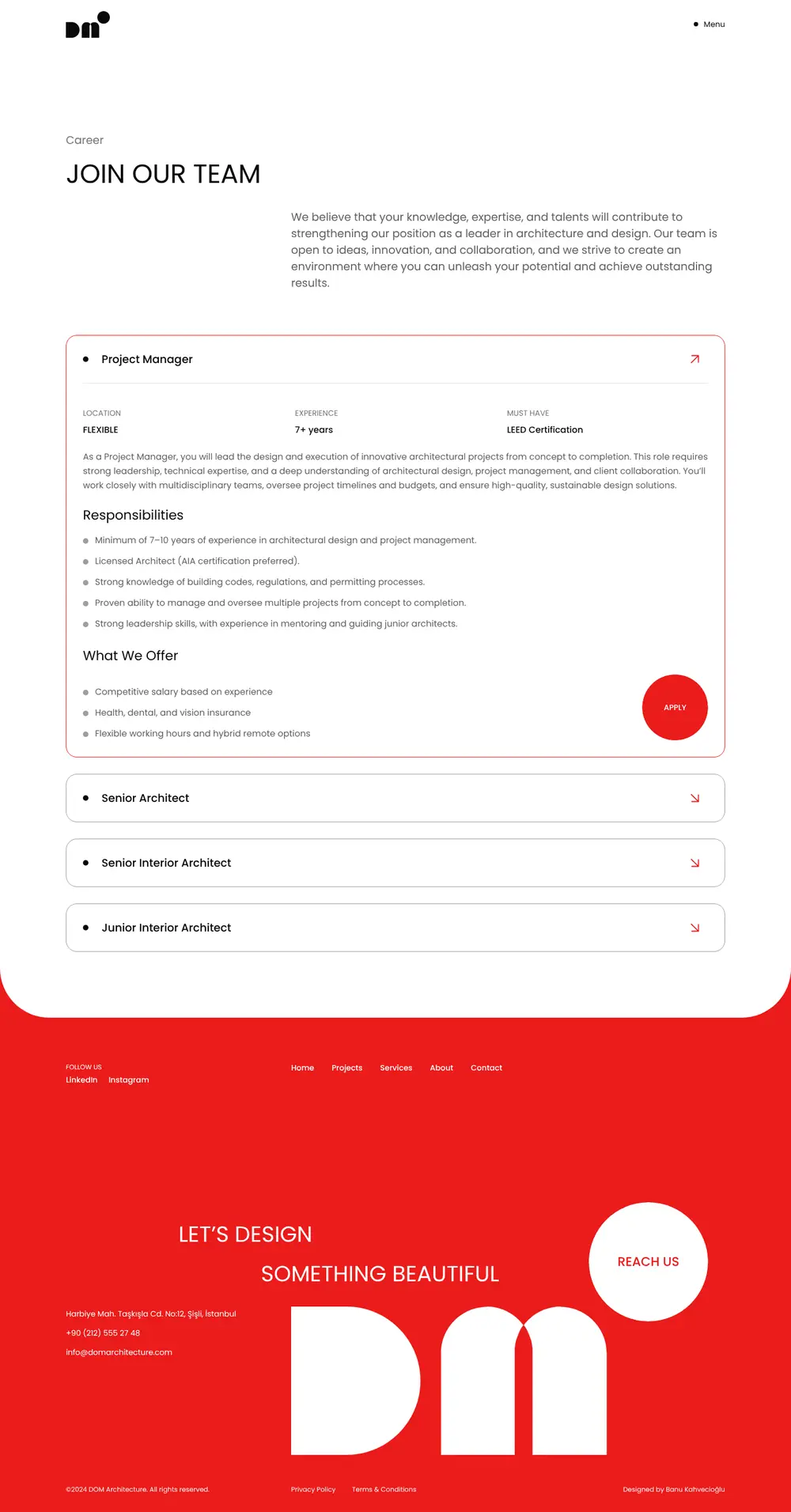
Open roles in an accordion, with responsibilities, benefits and an Apply button.
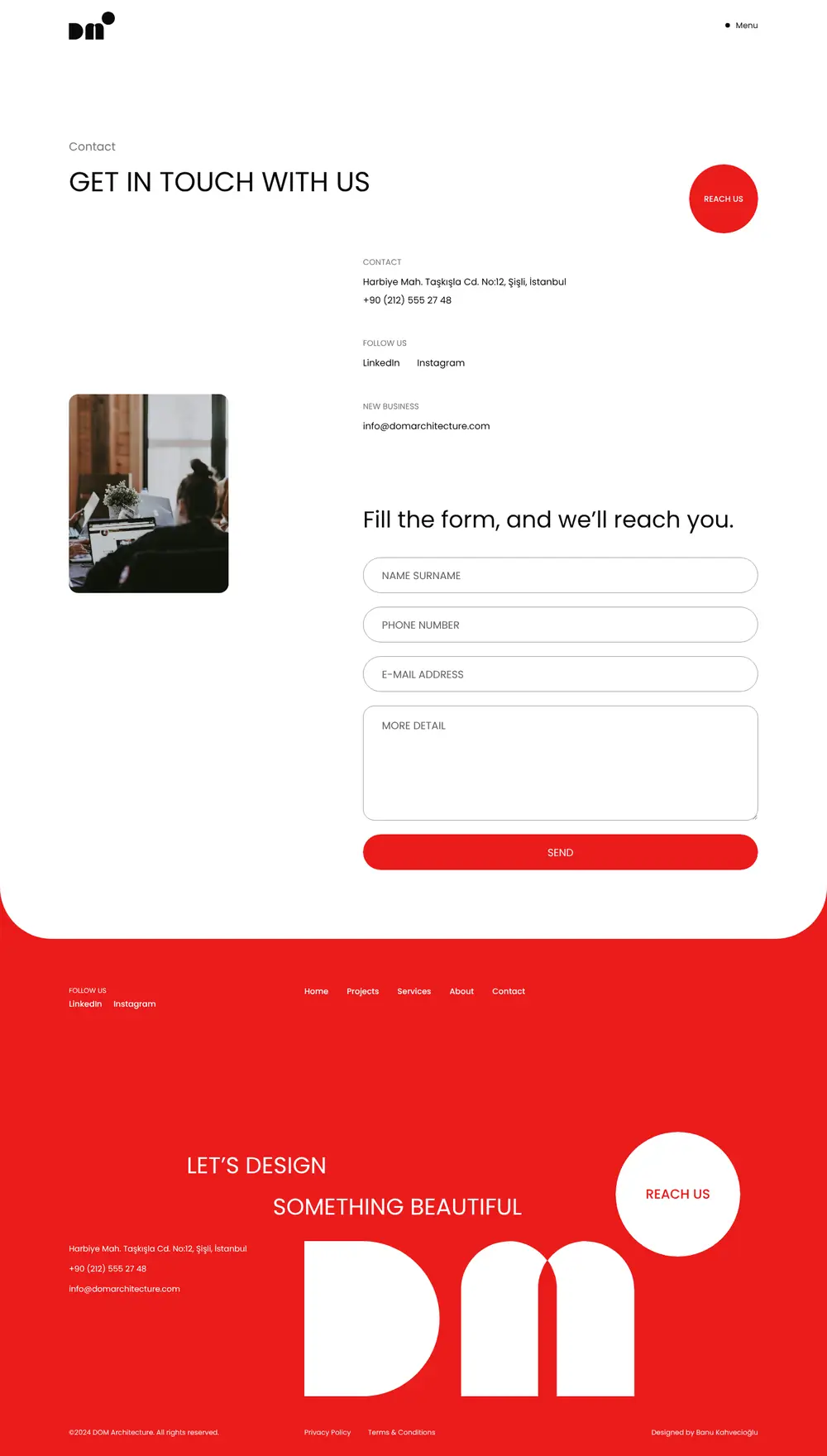
Contact details next to a short form, with the round red “Reach us” button.

Grids collapse into a single column, stats stack, and tables become simple lists.
The red menu grows out of the Menu dot and fills the screen with big links and the logo. The red footer sits fixed under every page and is revealed as the page lifts away.
Every interaction reuses the logo's three shapes: the D, the arch and the dot. Things arrive with one calm ease-out, masks and curtains move with an architectural ease-in-out, and only round elements get a small overshoot. Visitors who prefer reduced motion see the site without any of it.
The loader logo folds into the brand dot. The dot rides down with the lifting curtain, lands on the photo and the logo grows back out of it.
The full-screen menu opens as a circle from the Menu dot. The same dot marks the link you point at.
Cards and buttons change colour with a circle that starts at the top-right corner, where the logo keeps its dot.
Hovering a project rounds one side of the photo into the D of the logo, randomly facing left or right.
Each award row turns red and brings the project photo along, tilted a little differently every time.
Team cards turn over to show who is behind them. Opening a profile carries the photo and the Join us dot into a full-screen view.
A wall of projects splits into two doors whose edges curve into D shapes, and the invitation appears in the gap.
A strong story makes every decision easier. Once the studio's roots were clear, the name, logo, colours and even the buttons followed from them.
Brand and interface can share one language. The logo's arch and dot return as the round “Reach us” button and the menu's dot.
AI is a good brief partner, not a designer. A written brief gave the project real constraints to design against.
It covers work for a bank that hasn't launched yet. Enter the password you were given.


